
In this article, I am going to share a list of the best CMS for small business websites.
If you are you planning to start a blog or website for your small business? then you have landed on the right webpage.
Let’s get started.
The 8 Best CMS for Small Business
Picking a CMS platform can be a bit tricky as you have to take multiple things into consideration, such as ease of use, design option, extensions, data portability options, and most importantly, the cost. Keeping these things in mind, we have prepared this list of the best CMS software.
1. WordPress
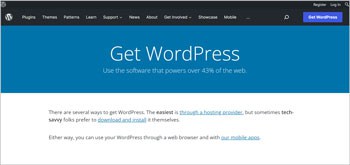
WordPress is without a doubt the most popular CMS platform on the internet. A report by W3Techs in 2021 revealed that WordPress powers over 64% of websites on the internet. Note that here we are recommending self-hosted WordPress.org CMS, not WordPress.com.
If you are confused, then let me help you understand this. WordPress.org is an open-source CMS that you can use on your own to create a website or a blog for your business. On the other hand, WordPress.com is a blog hosting platform similar to Blogger.com.
Pros of using WordPress CMS
- WordPress CMS is an open-source content management system meaning you can use it completely for free as long as you want.
- WordPress CMS gives you the flexibility to design almost any kind of website. So, whether you are looking to create an informational business website, blog, auction site, or more, WordPress CMS can be a great choice.
- Even with no technical or programming knowledge, you can create professional-looking, highly responsive websites using WordPress Gutenberg block editor.
- WordPress CMS doesn’t limit you from monetizing your website. You can use different types of monetization techniques to make money from your WordPress website.
- WordPress has a massive library of themes and plugins that can help you create a fully functional and premium-designed website within a few clicks. Plus, you can install plugins to add additional functionalities to your WordPress website.
- Since WordPress CMS has the biggest market share, you can find various forums, blogs, and groups around WordPress. You can use these communities and blogs to learn more about WordPress, SEO, and blogging.
- WordPress is well designed for SEO. It is a lightweight CMS that allows you to modify settings such as URLs, categories, tags, snippets, and more that can help you boost your website’s SEO.
- Migrating a WordPress website from one host to another is very easy. Even with no technical knowledge, you can do that with the help of any backup plugin such as UpdraftPlus.
- WordPress CMS is easy to use and learn, making it the best CMS for small business.
Cons of using WordPress CMS
- Since you will be using a self-hosted CMS, you have to buy hosting and web domain on your own. Plus, you will be all responsible for the backups, security, and updates of your website.
- WordPress is quite feature-rich and offers so many options. Even though it is quite easy to use, it can be daunting for first-time users.
2. Joomla
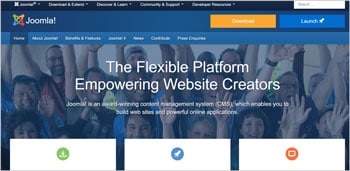
Similar to WordPress, Joomla also has been around for years. It was initially released in 2005 and was an immensely popular CMS back then. Joomla is quite similar to WordPress as it offers a massive library of extensions and templates that can be used to design your website and add functionalities.
For Joomla as well, you will have to buy a domain and hosting service. The installation process of Joomla is quite easy as most web host services provide one-click installation for this CMS. However, the CMS is not ideally good for beginners.
Pros of using Joomla CMS
- Joomla provides a lot of flexibility and customization options. It makes it a perfect choice for creating websites that are a bit complex or if you want something bespoke.
- Even though we said that this CMS isn’t ideal for beginners, if you want to set up a blog or simple website, you can still use this CMS by installing templates and extensions.
- Joomla is an open-source CMS platform, meaning you don’t have to pay a single penny to use it for your website.
- Being an open-source platform, Joomla has a huge community of developers and bloggers. Therefore, if you get stuck at something, you can simply go to Google and find easy solutions to fix that issue.
- Joomla offers plenty of ways to monetize your blogs. Plus, if you are a developer or web designer, you can start designing templates and extensions for Joomla.
- There are plenty of eCommerce extensions available for Joomla. Therefore, you can use it to set up a mini eCommerce store as well.
Cons of using Joomla CMS
- One of the reasons Joomla CMS didn’t become as big as WordPress is because Joomla is quite complex to use. Depending on what sort of functionality or website design you want, you might need to take the assistance of a developer.
- Even though Joomla has a decent library of extensions, the library isn’t as extensive as WordPress. It restricts you from modifying the core functionality of the website.
- There is always a risk